

About Email Accounts:
Email accounts are formatted like yourname@domainname.com (for example: mark@expertwebworld.com). Along with your email address, your hosting provider also gives you the mail server (hostname). Follow the steps below to configure your email account in Outlook 2007.
Email accounts are formatted like yourname@domainname.com (for example: mark@expertwebworld.com). Along with your email address, your hosting provider also gives you the mail server (hostname). Follow the steps below to configure your email account in Outlook 2007.
Steps to Configure Email in Outlook 2007
- Click Start → All Programs → Microsoft Office → Microsoft Office Outlook 2007.
- Open Outlook and go to Tools → Account Settings.
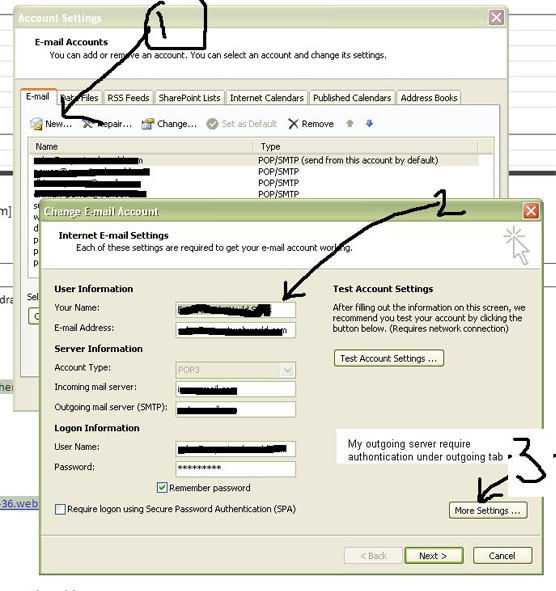
- In the Account Settings window, click the E-mail tab (default), then click the New button.
- Select Microsoft Exchange, POP3, IMAP, or HTTP and click Next.
- Enter Your Name, Email Address, Password, and Re-type Password. Outlook will try to detect mail server settings automatically.
- If automatic detection fails, enable Manually configure server settings and click Next.
- Select Internet Email and press Next.
- Enter the following details:
- Account Type: POP3
- Incoming Mail Server: mail.domainname.com or IP address
- Outgoing Mail Server: mail.domainname.com or IP address
- Username & Password: Your email login details
- Click Test Account Settings. If the test email is received, your email account has been configured successfully.
Outgoing Mail Port Issue
Sometimes, Internet Service Providers (ISPs) block the default SMTP port 25. In such cases, change the outgoing mail port to 587.
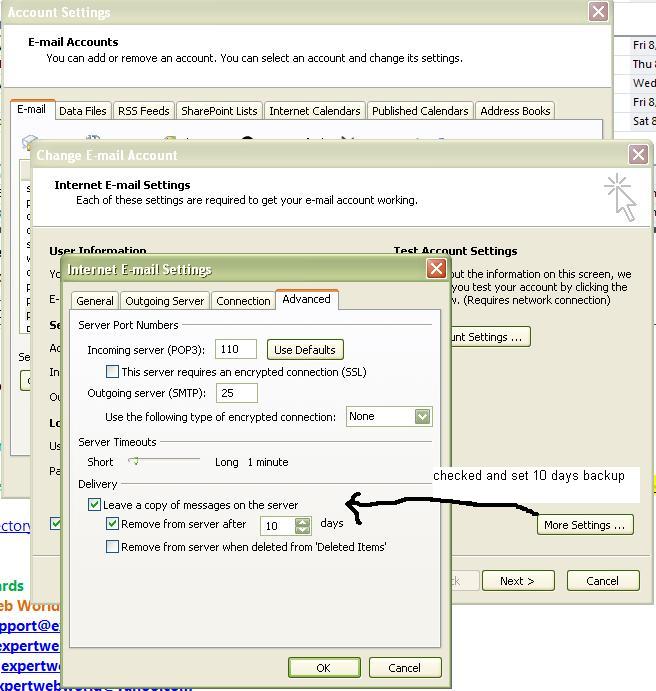
Change SMTP Port to 587
- Go to Tools → Options → Mail Setup → Email Accounts
- Select your email account and click Change
- Click More Settings → open the Advanced tab
- Change Outgoing Server (SMTP) port from 25 to 587
- Click OK → Next → Finish → Close to save settings
Video Tutorial: Manual Outlook Configuration
Configure Outlook Express 6.0 (Microsoft Support)
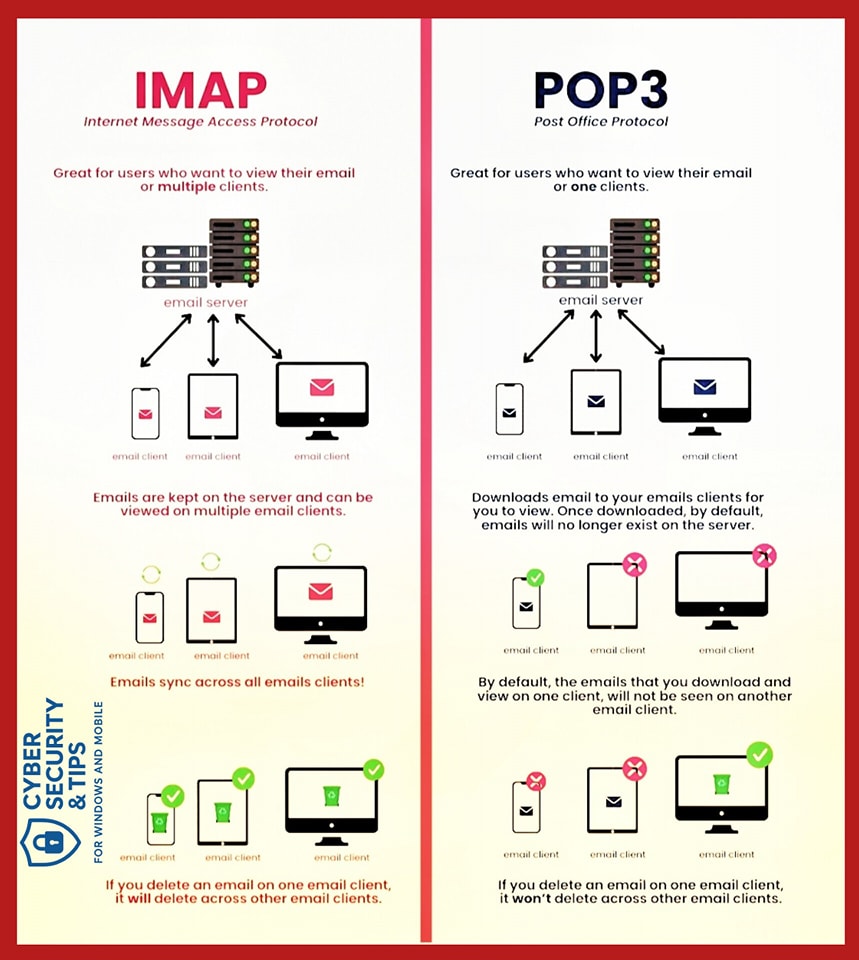
IMAP vs POP3
IMAP and POP3 are both email retrieval protocols, but they work differently. IMAP syncs emails across devices, while POP3 downloads emails to a single device.