
Why Is Spamming Used?
Many large marketing companies hire hackers or use automated crawlers to collect personal data from websites. Some companies also purchase this data from third parties for marketing purposes.
For example, imagine you start a small business but do not have any customer database to promote your products. You may hire a marketing company that provides targeted data or runs bulk email campaigns on your behalf. In a short time, you may receive many leads and see increased sales.
These companies often use spamming techniques such as bulk emails, bulk SMS, or extracting data from websites using crawlers. Sometimes, data is collected manually from directory websites, matrimonial portals, business listings, or property portals. This data is then sold to marketers targeting specific categories.
How to Stop Spamming
Preventing spam requires action at multiple levels. Completely stopping spam is difficult, but it can be significantly reduced by following proper security and best practices.
Client-Level Protection Against Email Spam
- If you display an email address on your website, try showing it as an image so automated crawlers cannot easily read it.
- Before submitting your email address on any website, ensure that it will not be shared with third parties.
- Avoid publishing sensitive personal or business details openly on websites.
- Do not subscribe to suspicious websites that offer false promises and only exist to collect user data.
- Avoid sending bulk emails using desktop email clients such as Outlook Express or Thunderbird. Instead, use trusted email marketing platforms.
- If spam emails land in your spam or junk folder, mark them as spam permanently using email filters. You can also report spam to Google.
- Never use your business email account for bulk marketing. Use platforms like Mailchimp or Vertical Response.
- Add Google reCAPTCHA on all website forms. This prevents automated scripts from submitting spam entries.
Server-Level Protection Against Email Spamming
- Maintain strong server security to prevent hacking attempts. If a server is compromised, attackers may send bulk emails using stored client data.
- Regularly scan the server using trusted antivirus and malware detection tools to remove malicious scripts.
- Set hourly or daily email sending limits on the server.
- Enable server-level spam and firewall protection.
- Configure email server rules such as HELO checks and sender verification to block invalid or forged emails.
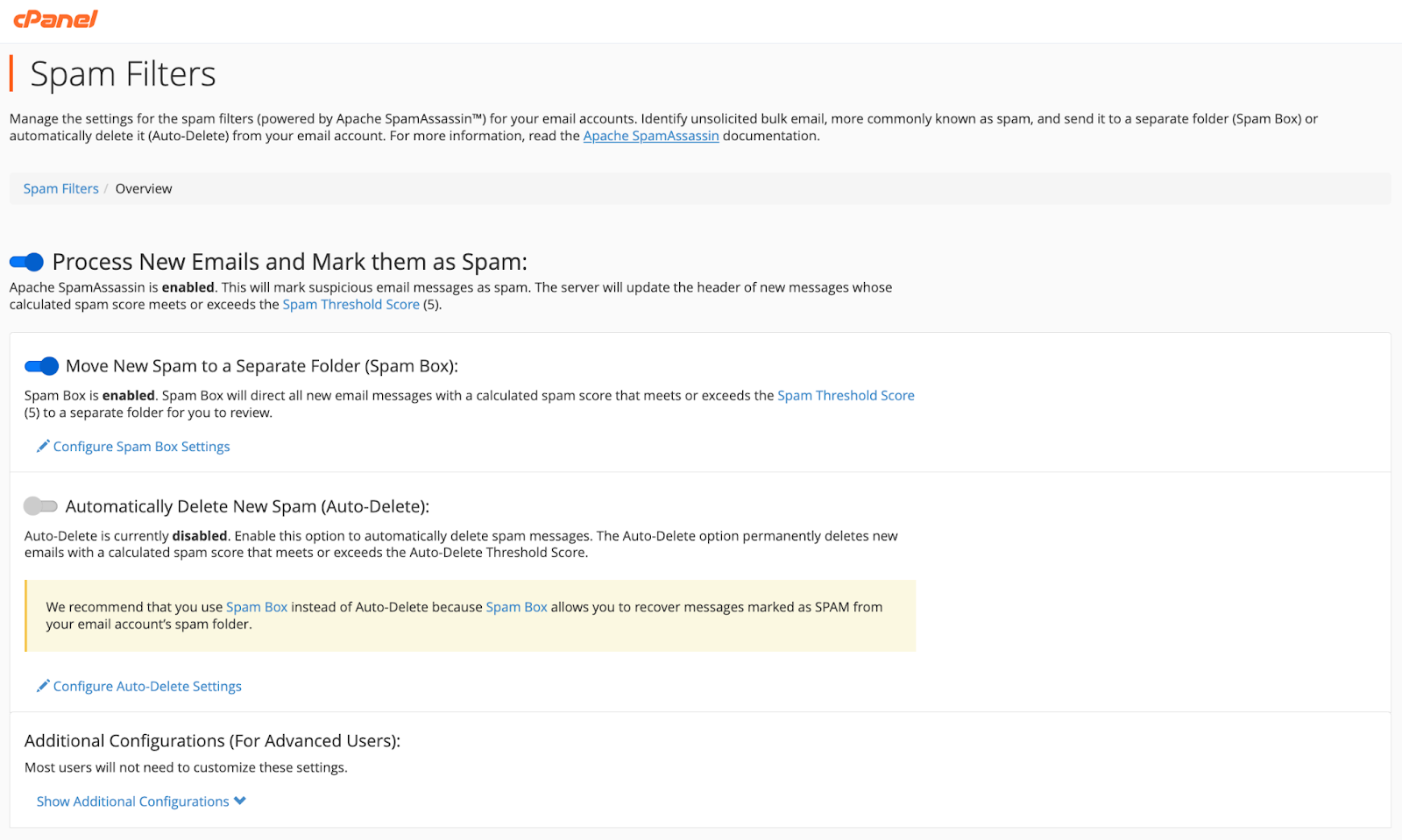
Enable Spam Filters in cPanel
cPanel provides a built-in Spam Filters feature that helps control unwanted emails. By default, this feature may be disabled.
Once enabled, spam filters can automatically delete spam emails or move them to a selected folder while keeping important emails in the inbox.
An advanced option allows you to whitelist trusted email addresses and blacklist unwanted senders.